




PROJECT GOALS

2. Competitor Analysis

Dogsy
+ Flexible search filters and clear sitter cards
+ Search results shown in both list and map view
– Navigation issues: tab bar disappears on some screens
– Pet card creation required before even looking for sitters, adding friction
– Overall booking flow feels long and overloaded
Pawshake
+ Wide range of services available from the home screen
+ Broadcast request feature for reaching multiple sitters
+ Detailed sitter profiles with reviews and resident pets listed
– Unnecessary long booking process, split into many small steps
– Weak filtering options
PetBacker
+ Covers key features such as chat, sitter verification, and pet cards
– Missing daily report stories, limiting peace of mind for pet owners
Conclusion
The analysis showed that existing apps suffer from overloaded interfaces and unnecessary complex booking processes.
This shaped PetBooking’s direction toward:
3. User Flows
To structure the experience, I mapped three flows covering both the main scenario and additional cases.
They highlight booking flexibility, trust, and time-saving features for returning users.

Booking a sitter FLOW
This flow covers the main booking experience. It allows users to explore sitters via list or map, check detailed profiles, and confirm a booking before opening a chat for communication.
– Simple and transparent process
– Pet card not mandatory upfront
– Seamless transition from booking to communication
Rebooking a sitter FLOW
This flow saves time for returning users by reusing past booking details. It reduces friction and helps owners quickly arrange trusted care with sitters they already know.
– Saves time for returning users
– Builds loyalty to trusted sitters
– Minimizes repetitive actions
Creating a pet card FLOW
This additional flow stores key details about a pet once, so they don’t need to be re-entered each time. Sitters get the information they need to provide better care, while owners keep flexibility to create or edit cards later.
– Pet info stored once and reused across bookings
– Helps sitters better understand each animal
– Flexible: can be created upfront or later
Search & Filters
Problem:
Users need a quick way to find suitable sitters without going through unnecessary steps.
Solution:
A straightforward search with flexible filters and the ability to switch between list and map view makes discovery fast and intuitive.


Sitter Profile
Problem:
Pet owners need clear, structured information to make confident choices.
Solution:
The profile highlights key details like reputation, price, and experience, supported by reviews for trust and transparency.
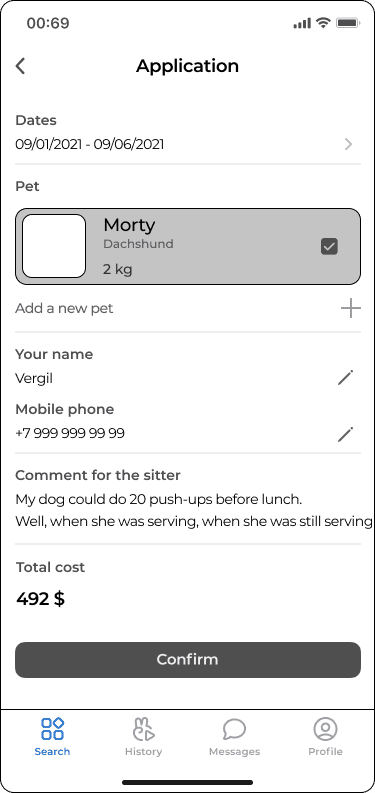
Booking Form
Problem:
Booking a sitter can feel complex if the process is spread across many screens.
Solution:
A single, streamlined form allows users to confirm dates and details in just a few steps, reducing friction.

Chat & Reports
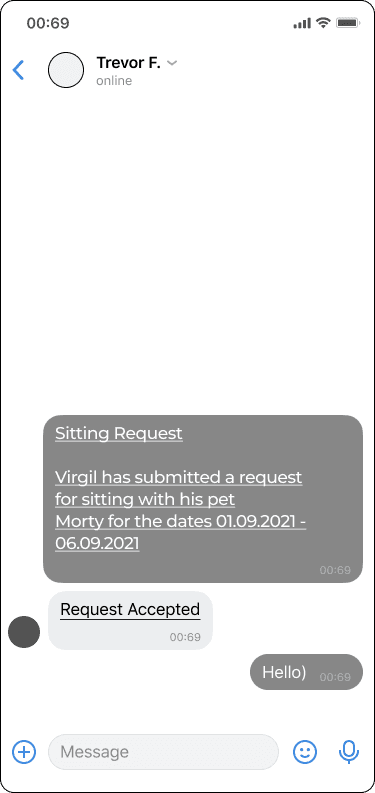
Problem:
Owners feel stressed leaving pets with strangers and want reassurance.
Solution:
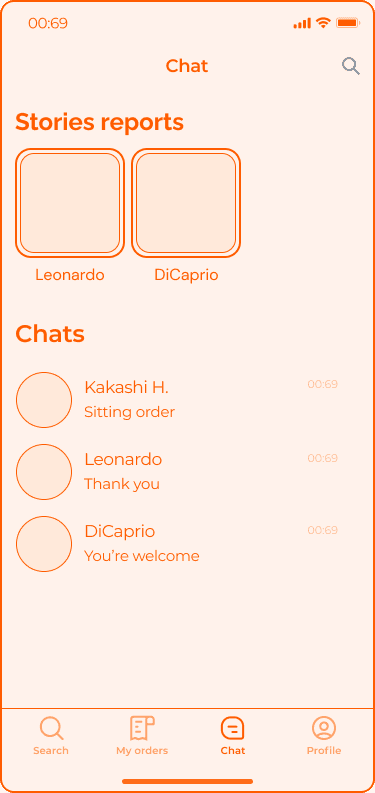
Integrated chat and daily photo or video updates keep owners informed and connected to their pets while away.
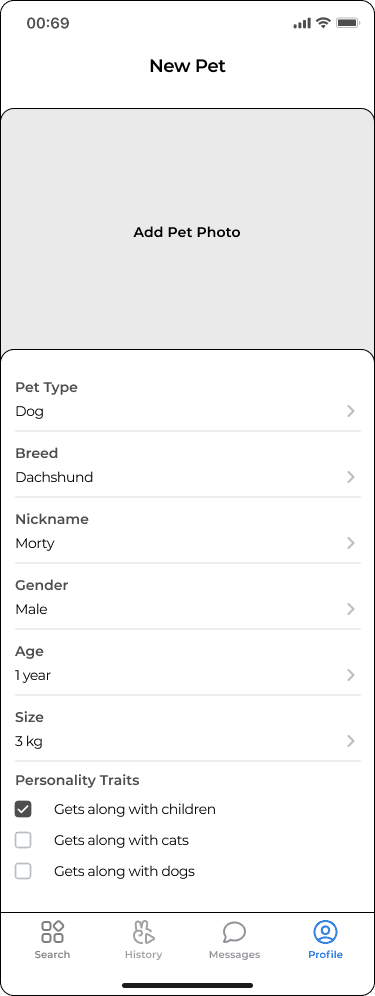
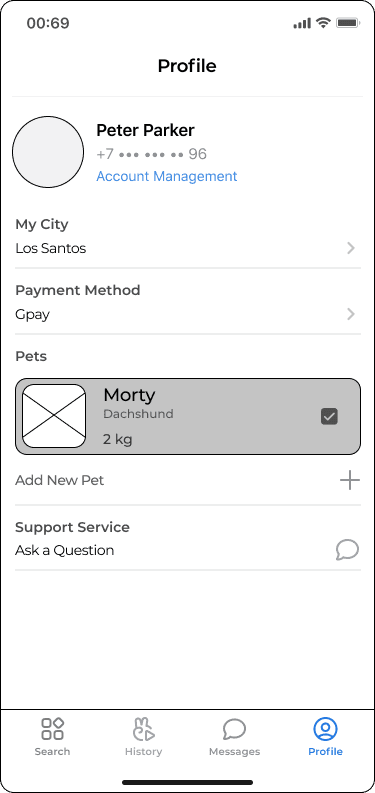
Profile & Pet Card
Problem:
Sitters need consistent details about pets, while owners want flexibility.
Solution:
Pet cards can be created either during registration or later, stored once in the profile, and reused across bookings.
Take a closer look
at the selected wireframes





5. Final UI Design
The final UI uses bright colors and playful pseudo-3D mascots to create a warm, reassuring atmosphere — in contrast to the dry and outdated look of many competitors. This design language supports trust and lowers the stress of leaving a pet with a sitter.
Onboarding & Login
A short onboarding introduces the app’s purpose and tone with simple illustrations and clear, welcoming text. Users can sign in with email or social accounts, with the option to create a pet card right away or later.


Searching for sitter
The home screen suggests sitters nearby, while inline filters make refining results fast. Users can switch between list and map views in one tap. Compact sitter cards highlight key details — rating, price, and verification badge — helping owners make confident choices.
Instant sitter suggestions first, with the option to dive deeper into details through flexible filters.


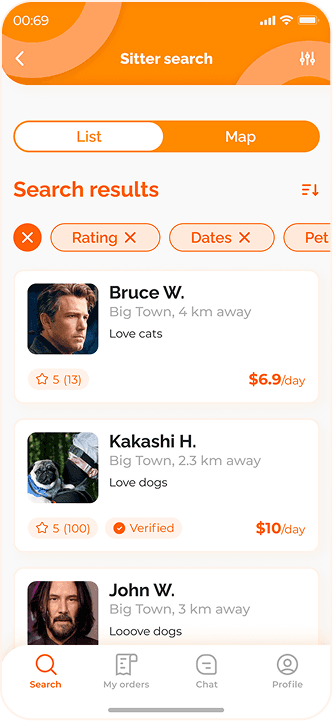
Two ways to explore results: a quick list for scanning key details, or a map view for location-based choice.
Placing an order
The flow starts with a sitter profile, where users review services, ratings, and verification. The booking form that follows combines dates, location, and service details with a price summary, while reviews and chat stay one tap away for extra confidence.


Communication with sitter
A built-in chat allows instant communication. Sitters share daily photo or video updates in a story-like format, reassuring owners and helping them feel connected to their pets even from afar.


Orders & Profile
Orders are split into active and completed tabs, with quick actions like “Rebook” for trusted sitters. The profile lets users manage account details, add new pet cards, and adjust preferences — keeping control in one place.


6. CONCLUSION

